Associate Disclosure: By way of purchasing the goods we propose, you lend a hand stay the web page alive. Learn extra.
After a long term of over 10 years, Home windows 7’s time within the highlight has come to an in depth. The Home windows 7 finish of lifestyles date has hit, which means that Microsoft now not helps the fan-favorite running device.
Let’s overview what the Home windows 7 EOL manner for customers nonetheless on that platform and have a look at your highest choices for leaping send from the growing older OS.
What Is Home windows 7 EOL?
EOL, or finish of lifestyles, refers back to the ultimate date that Microsoft helps one in all its merchandise. After this time, Home windows does now not obtain any updates to mend insects or get to the bottom of safety problems.
The Home windows 7 EOL date was once January 14, 2020. After this level, Microsoft considers Home windows 7 a legacy running device and has dropped enhance so it could focal point on present choices. Learn our Home windows 7 finish of lifestyles FAQ 6 Pointers for Home windows 7 Finish of Lifestyles and Toughen Home windows 7 Finish of Lifestyles is drawing near. Be informed what to do subsequent as prolonged enhance for the growing older OS results in January 2020. Learn Extra for more info in this.
After all, Home windows 7 nonetheless works after the tip of enhance. Alternatively, in the event you’re the use of Home windows 7 as of late, you will have to make plans to transport to another platform quickly so you’ll keep protected.
Let’s have a look at the entire choices to be had to you after the Home windows 7 finish of lifestyles. Now not they all are viable, however we’ll checklist as many as conceivable so you already know your choices.
1. Purchase a New Pc With Home windows 10 Put in
For most of the people who’re pleased with Home windows, that is the most suitable choice. Chances are high that that your Home windows 7 device is beautiful outdated, making this a really perfect time to leap to Home windows 10 on a contemporary laptop.
You don’t must spend some huge cash to get an appropriate laptop. Have a look on Amazon for a pc or desktop that fits your wishes—we’ve rounded up some inexpensive however top of the range laptops for college kids The 7 Most cost-effective Prime-High quality Laptops for Scholars on a Tight Funds Discovering a high-performing, inexpensive pc is hard. Listed below are the most efficient laptops for college kids that do not cost a fortune. Learn Extra that would possibly give you the results you want.
Just about each and every off-the-shelf laptop you notice as of late could have Home windows 10, so it’s only a topic of discovering one that matches your finances and wishes.
2. Construct Your Personal Home windows 10 Desktop
If you’ll’t to find a pc within the retailer that works for you, why now not take this chance to construct your individual device? It’s now not too tricky to construct your individual PC, and you’ll make a decision precisely how a lot you need to spend on it.
Get started by way of selecting the correct elements to your PC construct The best way to Select the Proper Elements for Construction Your Subsequent PC Construction a PC is difficult, however get the steadiness proper and the end result may also be a pc this is as robust as you wish to have. Learn Extra , then observe our information to development your individual PC How To Construct Your Personal PC It is very pleasing to construct your individual PC; in addition to intimidating. However the procedure itself is in reality somewhat easy. We’re going to stroll you thru the whole lot you wish to have to grasp. Learn Extra whenever you’re waiting to start out.
Needless to say with this selection, you’ll wish to download a license for Home windows 10 your self. Whilst you’ll purchase this instantly from Microsoft, it’s additionally conceivable to make use of different learn how to get an affordable and prison Home windows license Want a Felony & Reasonable Home windows License? Right here Are Your Choices Home windows is pricey. Here is how to shop for a Home windows 7, eight or 10 product key affordably or get a license without cost legally. Learn Extra . The ones with a legitimate Home windows 7 or Home windows eight key can nonetheless use that to turn on Home windows 10.
three. Set up Home windows 10 on Your Present PC
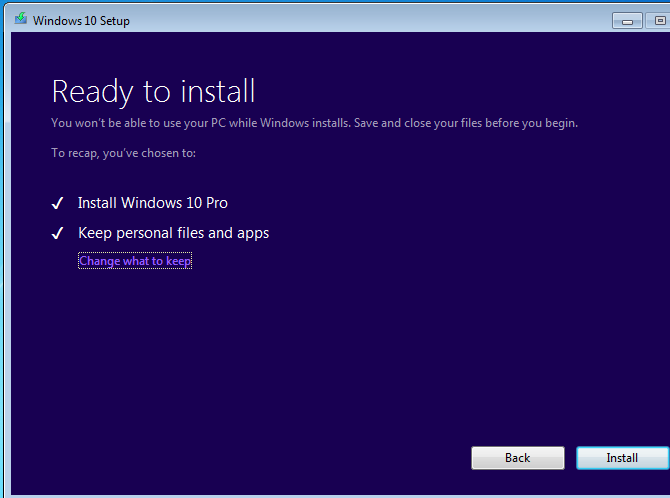
Whilst the necessities to run Home windows 10 aren’t too tough, we nonetheless don’t suggest upgrading your present device from Home windows 7 most often. If you happen to’ve had your PC for a very long time, likelihood is that that it’s underpowered and gained’t run Home windows 10 smartly.
You’re at an advantage transferring to a brand new device that may run Home windows 10 extra easily. Alternatively, in case your laptop is more recent or was once one of the best whilst you constructed it, you might be able to use Home windows 10 on it for some time. This is dependent upon your device.
four. Improve to Home windows eight.1
Home windows eight by no means had the recognition of both Home windows 7 or Home windows 10, nevertheless it’s nonetheless round. The tip of enhance for Home windows eight.1 isn’t till January 2023, so you’ll use it as a Home windows 7 choice.
Alternatively, we’d steer clear of this as smartly. Home windows eight.1 doesn’t be offering as many options as Home windows 10, and the touch-centric interface was once a trouble for plenty of throughout its heyday. Discovering a real Home windows eight.1 license isn’t as clean as getting one for Home windows 10, and it’s tricky to discover a PC with Home windows eight.1 preinstalled.
Moreover, in the event you transfer to Home windows eight.1, you’ll must improve once more in only some years when its EOL date comes. Transferring to Home windows 10 will prevent time down the street.
five. Purchase a Chromebook
The above 4 choices all contain sticking with Home windows. Alternatively, in the event you’d like to check out one thing other after leaving Home windows 7, you’ve gotten many different chances.
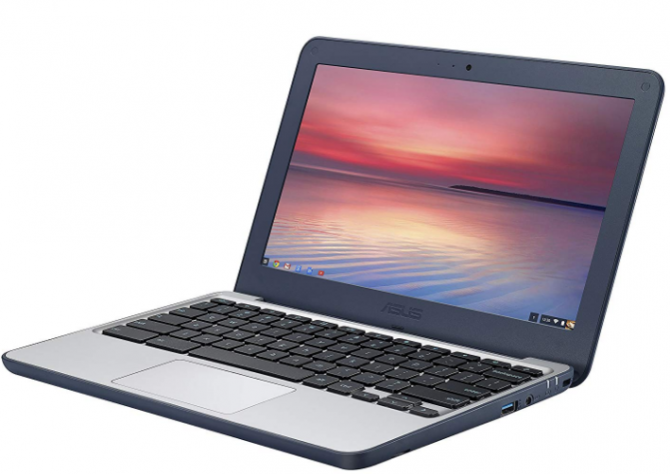
A Chromebook supplies an easy-to-use choice to a Home windows pc. Chromebooks be offering automated updates, integrated virus coverage, nice battery lifestyles, or even the facility to run Android apps.
They don’t have a large number of native garage or robust , in order that they aren’t nice for duties like gaming or video modifying. Alternatively, for mild use, they provide nice worth. Check out one of the vital highest Chromebooks The five Best possible Chromebooks for Each and every Form of Consumer Searching for the most efficient Chromebook in the marketplace? Listed below are the most efficient Chromebooks relying to your wishes. Learn Extra for a couple of concepts.
6. Use CloudReady on Your Present PC
Don’t have the cash for a Chromebook? An organization referred to as Neverware supplies a unfastened open supply choice to Chrome OS titled CloudReady. This lets you repurpose previous computer systems as makeshift Chromebooks The best way to Flip Any PC or Computer Right into a Chromebook or Chromebox With this step by step instructional, you’ll flip nearly any laptop right into a Chromebook or Chromebox with CloudReady. Learn Extra for free of charge.
Since Chrome OS is mild in comparison to Home windows, it’s going to nearly definitely run higher on growing older . Give it a glance if you wish to get some other 12 months or two from your present laptop ahead of purchasing a brand new one.
7. Give Linux a Take a look at
Linux is a circle of relatives of open supply running methods that you’ll set up on just about any PC. If a Chromebook is simply too restricting, however you don’t need to pay some huge cash for an improve, Linux is a smart possibility.
You could imagine putting in Linux to your present laptop if it’s now not too out of date. Another way, it’s worthwhile to acquire an affordable used laptop on-line and set up Linux on that. If you wish to pass all-in, you’ll purchase a ready-made laptop with Linux preinstalled.
We’ve advisable Robolinux as one of the crucial highest Linux distros for Home windows customers Why Robolinux Is the Best possible Linux for Home windows Customers Switching from Home windows to Linux may also be tricky. Make it more straightforward by way of opting for Robolinux, the most efficient linux distro for Home windows customers. Learn Extra , so check out that in the event you don’t know the place to start out.
eight. Transfer to a Mac
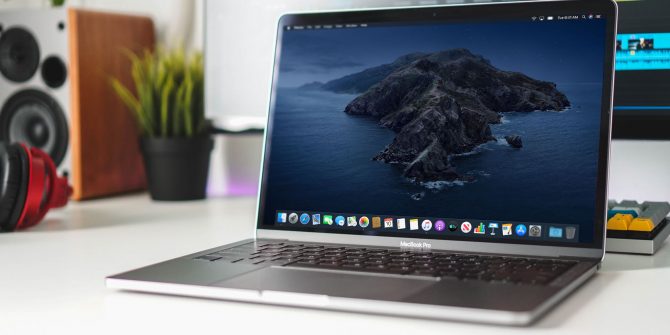
At the different finish of the spectrum, you may imagine switching to a MacBook or iMac. Apple’s computer systems, whilst dear, are recognized for his or her top quality. Along with the top class construct high quality, Macs are powered by way of macOS, which Apple fanatics swear by way of.
A Mac will closing you a few years in comparison to an affordable Home windows laptop. If you happen to’re taking into consideration the transfer, check out how to economize when purchasing a MacBook five Techniques to Save Cash When Purchasing a MacBook Having a look to get a MacBook for inexpensive? Listed below are some helpful guidelines for saving probably the most cash whilst you purchase a Mac pc. Learn Extra so that you get the most efficient deal.
nine. Pay Microsoft for Extra Home windows 7 Patches
You could be shocked to be informed that Microsoft in reality gives Home windows 7 updates previous the tip of enhance date, for a rate. That is basically for companies that wish to stay the use of Home windows 7 for backward compatibility or equivalent causes.
Microsoft’s Home windows 7 Prolonged Safety Updates (ESUs) are to be had on a per-computer foundation, and the associated fee is going up yearly. You’ll be able to most effective benefit from this for Home windows 7 Professional or Endeavor methods and will have to have bought them thru a quantity licensing settlement.
As a result of this, house customers nearly definitely can’t benefit from the paid updates. Even though you probably did, it doesn’t make sense to pay such a lot when it’s worthwhile to put that against a brand new laptop. See Microsoft’s Home windows 7 ESU FAQ in the event you’re , however this isn’t in reality an possibility for 99% of house customers.
10. Do Not anything
After all, you’ll take no motion for now, despite the fact that we don’t suggest it. Home windows 7 will proceed to paintings for some time, however through the years, the platform will grow to be more and more insecure. As we noticed with Home windows XP, primary device will begin to drop enhance for Home windows 7 ahead of lengthy.
You will have to make a plan to observe one of the crucial above choices once you’ll. If you happen to don’t have the finances for an improve, putting in CloudReady or Linux to your present laptop is an acceptable possibility till you’ll get a brand new device.
How Will You Reply to Home windows 7’s Finish of Lifestyles?
We’ve checked out the entire primary possible choices for Home windows 7 customers. Because the Home windows 7 EOL date has already come and long past, you will have to make plans emigrate once conceivable. It is a nice time to shop for/construct a brand new laptop or take a look at a brand new running device, so we’re positive you’ll discover a appropriate possibility.
For extra in this, to find out why folks nonetheless love Home windows 7 such a lot Home windows 7 vs. Home windows 10: five Causes Your Outdated Love Is Nonetheless Going Sturdy Some folks refuse to surrender Home windows 7 and improve to Home windows 10. Why? Neatly, there are many contributing components. Learn Extra .


